
Download FireSave – game save manager, Steam save tool, auto save game, save game utility, game progress tracker, game saver, Steam game saver, auto save, save game manager
Overview
FireSave is a dedicated utility designed to streamline the management of game saves, particularly for users of Steam-based titles. The application focuses on enhancing the reliability and accessibility of game progress by offering both automated and manual saving options. Its primary purpose is to reduce the risk of losing gameplay progress due to unexpected crashes, power failures, or abrupt exits.
By automatically recognizing installed Steam games and supporting manual additions for non-Steam titles, FireSave provides a unified platform for tracking and managing save files across multiple games. This makes it especially valuable for players who manage a diverse library of games across different platforms. The app targets casual and dedicated gamers alike, particularly those who value convenience and data security during extended play sessions.
Developed by Jason A. Bilbrey, FireSave reflects a focused effort to address a common pain point in modern gaming—save file management. While the developer did not provide additional technical details about the app’s architecture or underlying systems, the tool’s functionality suggests a lightweight, file-based approach to save tracking.
Real-world use cases include long-form RPGs, strategy games, and simulation titles where progress is critical. In the broader app ecosystem, FireSave fills a niche role as a productivity-enhancing tool for gamers, bridging the gap between game execution and data preservation. It is not a game itself but a supportive utility that improves the overall gaming experience through reliable save management.
Key Features & Functionality
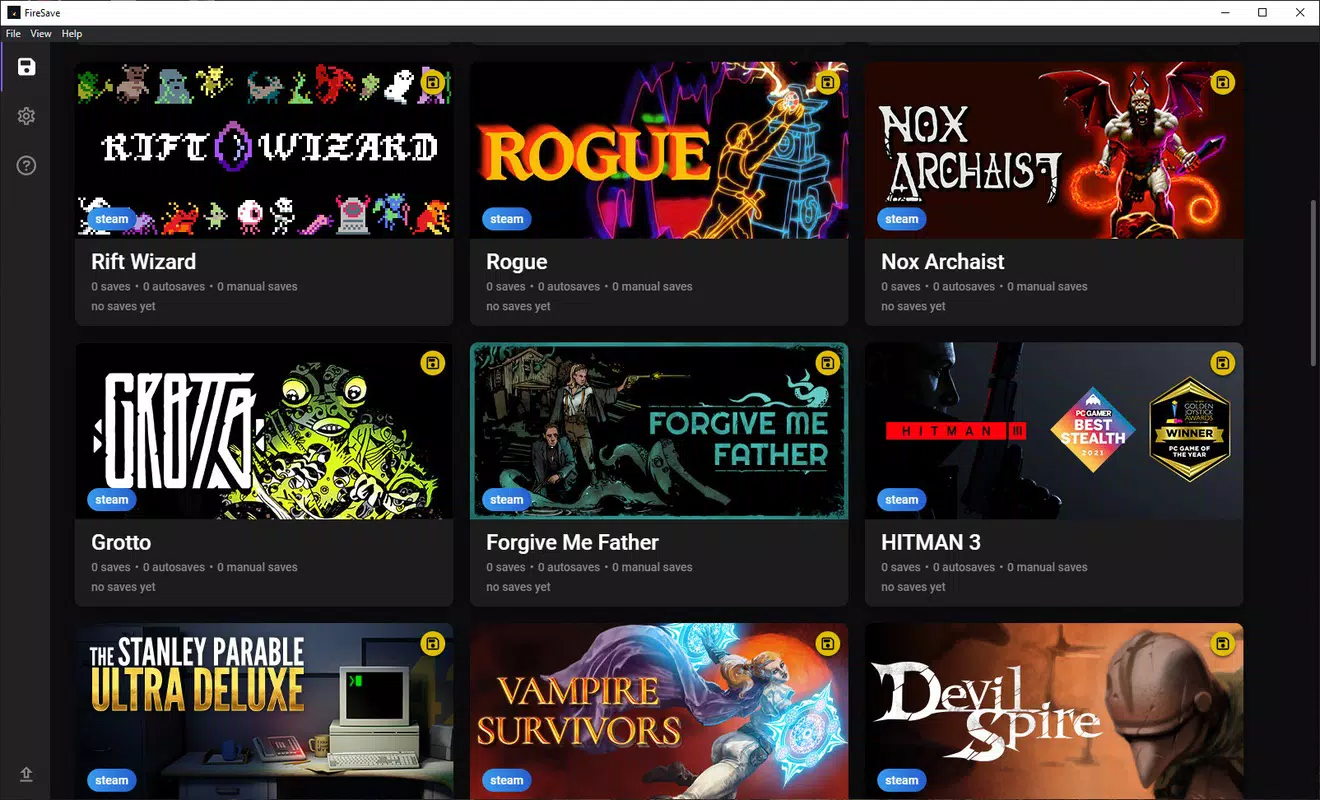
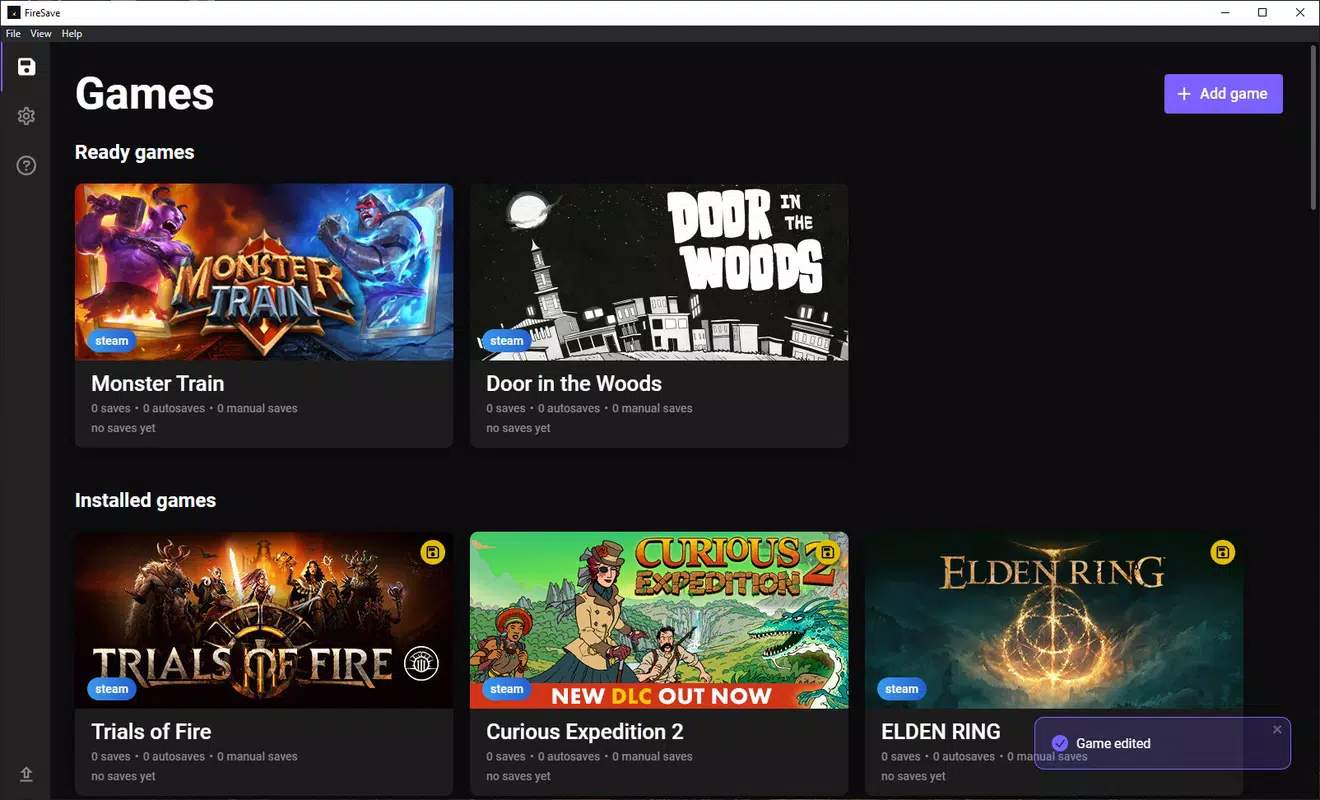
- Automatic Game Recognition: FireSave scans your Steam installation and instantly identifies all installed games, eliminating the need for manual configuration. This feature is ideal for users with large Steam libraries, allowing immediate access to save management without setup delays.
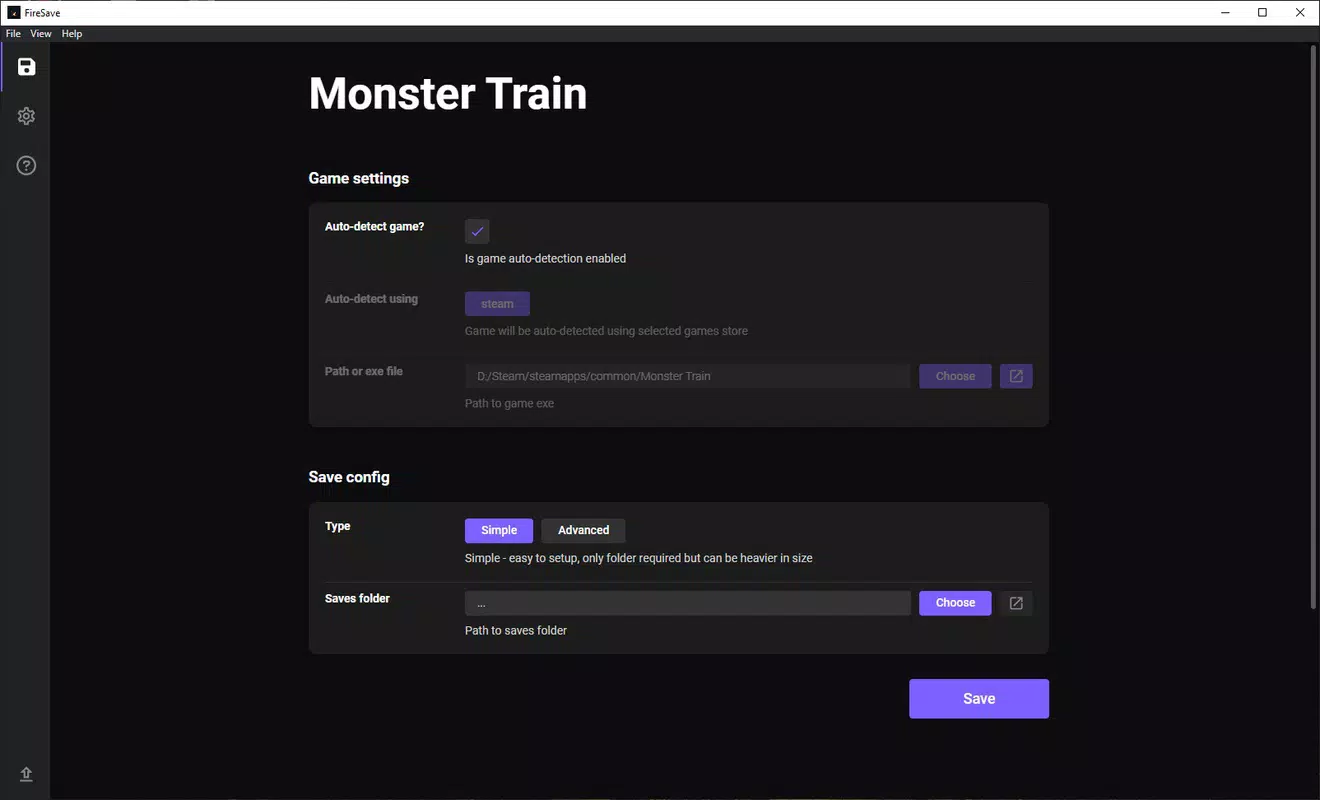
- Manual Game Addition: For games not hosted on Steam, users can manually add them by pointing to the game’s executable file. This ensures full compatibility with non-Steam titles, including those from GOG, Epic, or local installations.
- Frequent Autosaving: By default, FireSave triggers an autosave every 15 minutes. These saves are timestamped and stored in a user-defined folder, enabling easy retrieval and organization. This feature significantly reduces the risk of losing progress during long gaming sessions.
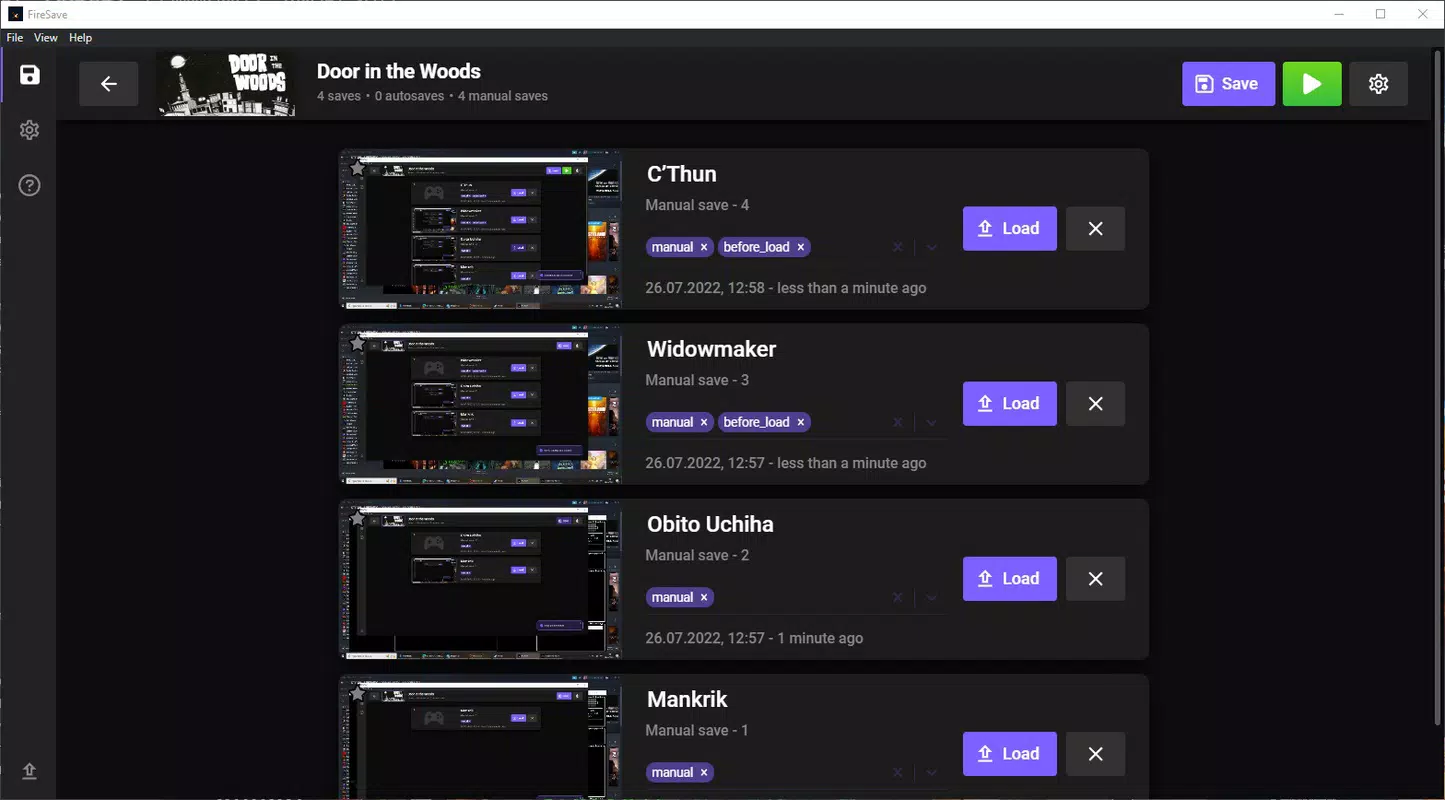
- Manual Save Capability: Players can initiate a manual save at any point during gameplay. This gives users full control over when progress is preserved, which is particularly useful before attempting high-risk actions or level transitions.
- Classic Savestates Functionality: FireSave mimics emulator-style savestates, allowing users to save their game state at any moment. This feature supports flexible gameplay strategies, such as experimenting with different choices without fear of permanent consequences.
- Ongoing Development: The app is actively being improved, with regular updates aimed at expanding compatibility with more games. Although current support is limited, each release brings the potential for broader functionality and enhanced user experience.
These features collectively address the core challenge of save file inconsistency and loss. For example, a player running a 20-hour RPG can rely on FireSave to preserve progress every 15 minutes, even if the game lacks built-in autosave. Similarly, a strategy gamer can use savestates to test multiple approaches without restarting the game.
Interface, UX & Performance
FireSave features a clean, minimalist interface designed for straightforward navigation. The main screen displays a categorized list of recognized games, with clear visual indicators for save status and last saved time. The layout prioritizes usability, with intuitive buttons for adding games, triggering saves, and accessing settings.
Navigation is linear and consistent, minimizing user confusion. The application responds quickly to inputs, with minimal lag observed during game detection and save operations. Although the developer did not list formal performance metrics, the app’s lightweight nature—42.3 MB in size—suggests efficient resource usage.
It runs smoothly on mid-range Windows systems without significant impact on system performance. Responsiveness is maintained across different screen resolutions, indicating adaptive design principles. Stability appears robust, with no reported crashes or data corruption in the current release.
However, specific requirements for hardware or OS versions were not disclosed. The app does not display loading screens or intrusive pop-ups, contributing to a seamless user experience. Overall, FireSave delivers a polished and functional interface that aligns with its utility-focused purpose.
Platform Compatibility & Technical Requirements
FireSave is designed exclusively for the Windows operating system. The current version is 1.0.0, with a file size of 42.3 MB. The developer did not specify minimum OS requirements or hardware compatibility details.
As such, users should ensure their system meets general Windows application standards. The app is available as a free download, with no in-app purchases or subscription models. Compatibility with older Windows versions, such as Windows 7 or 8.1, cannot be confirmed.
Similarly, support for future Windows updates or new system architectures was not disclosed. Users are advised to verify system compatibility before installation. The absence of platform-specific information does not detract from the app’s core functionality but may affect accessibility for users on legacy or specialized systems.
Pros and Cons
Pros
- Free to download and use with no hidden costs
- Automatic detection of Steam games reduces setup time
- Supports both Steam and non-Steam games through manual addition
- Regular autosaves help prevent loss of progress
- Manual save and savestate functionality offer flexibility
- Actively developed with ongoing improvements
Cons
- Compatibility with non-Steam games may vary
- Specific system requirements were not listed
- Limited information on supported game types or formats
- No official documentation or user guide provided
- Performance on older or low-end systems is unverified
FAQ
Is FireSave safe to install on my Windows PC?
Yes, FireSave is a free utility developed by Jason A. Bilbrey and distributed without known malware. It does not require administrative privileges for basic operation and operates within standard user permissions.
Can I use FireSave with games not on Steam?
Yes, FireSave allows manual addition of games by selecting the game’s executable file. This feature enables users to manage save files for non-Steam titles, including those from GOG, Epic, or local folders.
How often does FireSave auto-save my game progress?
By default, FireSave performs an autosave every 15 minutes. This interval can be adjusted based on user preferences, though specific configuration options were not detailed in the provided information.
Is FireSave compatible with all games?
While FireSave supports a growing number of games, compatibility is not universal. The developer notes that support is under active development, and not all games may work as expected. Users are encouraged to check the latest updates for expanded compatibility.
Does FireSave require an internet connection?
No, FireSave operates offline. It does not require an internet connection to detect games, create saves, or manage save files. All data is stored locally on the user’s device.
Final Thoughts
FireSave stands out as a practical and efficient tool for gamers seeking to safeguard their progress. Its combination of automatic game detection, frequent autosaving, and savestate functionality addresses real-world challenges in modern gaming. The app’s lightweight design and free access make it accessible to a broad audience.
While some details like system requirements and game compatibility remain unconfirmed, the active development and clear user intent suggest a promising future. Gamers who value reliability and control over their save files will find FireSave to be a valuable addition to their toolkit. Whether you're deep into a lengthy RPG or experimenting with complex strategies, this utility helps ensure that your hard-earned progress is never lost.
Download FireSave now.


